
InstaFeet
FootPrint CompanyBeauty
4.6546.00 Reviews
- Version
- 1.0.15
- Installs
- 100.00K
- Age Rating
- Teen
Screenshots


Our Review of InstaFeet
 Analysis by Appyee
When I try a niche photo-sharing app for the first time, I want to know two things: what I can actually do there, and what I should be careful about before sharing anything. InstaFeet is aimed at people interested in foot photography, whether that means showing off a new pedicure, exploring creative photo ideas, or finding others who share the same interest. I’d approach it as a focused social space rather than a general beauty editor: the appeal is the subject and its community, not a promise that every kind of beauty content belongs there.
What to expect from a foot-focused photo community
The most useful way to think about the app is as a place to make, present, and discuss foot-themed images. That can suit a casual hobbyist just as well as someone who wants to take photography more seriously. Foot photography can involve small details—color, texture, footwear, pose, and background—so a dedicated audience may make it easier to find ideas than a broad social feed where the subject is only one post among many.
At the same time, a niche community is not automatically the right fit for every newcomer. If you mainly want a private album of pedicure pictures, your phone’s photo library or a general editing app may be simpler. If you want to meet an audience around this specific subject, a focused app is more relevant, but it also means thinking carefully about what you post and who can see it. I’d decide on those boundaries before making a profile rather than after an image has been shared.
Getting started without overthinking it
The app is listed as a free beauty app from FootPrint Company, with a Teen age rating. It has a 4.5 average from around 1,700 ratings, and more than 100,000 installs. Those figures suggest that it has found an audience, but I wouldn’t treat popularity as a substitute for checking whether its community and posting style feel right to me.
For a first visit, I’d keep setup modest: choose a profile name that doesn’t reveal more than you intend, look through the available controls, and spend a little time browsing before uploading. That gives you a chance to understand the tone of the space and the sort of images people share. If you’re considering linking another social profile, pause and decide whether connecting identities is genuinely useful; keeping different online interests separate can be a sensible choice.
Your first useful action: make one deliberate post
A good first contribution doesn’t need elaborate equipment. I’d start with one clear photo, a tidy background, and a simple idea—such as a color combination or a new pedicure—rather than trying to produce a whole portfolio at once. Check the crop and lighting before posting, and make sure the image doesn’t reveal identifying details in the background. That small review step is easy to skip when you’re excited to share, but it can prevent an unwanted glimpse of a home, workplace, or personal item.
If you’re not ready to publish, use your first session to browse and note what catches your eye: close-up framing, a particular setting, or how creators use color. Then try recreating the broad idea in your own style instead of copying someone’s exact image. That makes the app useful even before you’ve built an audience, and it gives you a practical way to learn what kind of photography you enjoy making.
Privacy, expectations, and a few sensible limits
Social apps can make a profile feel more private than a public post really is. Before sharing, I’d look for the audience and account controls available in the app, and avoid assuming that an image can be fully recalled once other people have seen or saved it. I’d also be wary of putting personal contact details into a public profile or moving conversations elsewhere just because someone asks. These are ordinary precautions, but they matter especially when a niche topic can attract attention from people with different expectations.
It’s also worth separating creative enjoyment from income expectations. The app may appeal to people interested in presenting foot photography commercially, but I’d treat that as an experiment rather than dependable earnings. Build a small body of work, see whether you enjoy the routine of creating and interacting, and only then decide whether spending money or time on a larger plan makes sense. The app is free to download, while in-app purchases range from $3.99 to $104.99 per item, so I’d check what a purchase actually provides and whether it fits my budget before confirming anything.
Who will get the most from it
I think the best match is someone who already likes taking close-up beauty or fashion photos and wants a more relevant audience than a general social network provides. It may also suit a beginner who wants to study how people frame a niche subject, get inspiration, and gradually find a personal style. A realistic use case is taking a few minutes after a pedicure to photograph the result near a window, choosing the clearest shot, and sharing it with a short caption rather than spending an evening trying to perfect a whole set.
I’d skip it if the subject itself doesn’t interest you, if you want a broad beauty community covering makeup and skincare, or if you don’t want social interaction around personal images. In those cases, a standard photo editor or a general beauty platform is likely to feel more useful. A dedicated niche app can make discovery more focused, but that focus is also its main limitation: it won’t replace a versatile editing suite or a wide-ranging social network.
Using the app with a clear first-step plan
Because the app is focused, I’d give myself a simple goal for the first session: browse enough to understand the community, make one image that feels comfortable to share, and review the audience settings before posting. That is a better test than judging it by the number of screens or trying to create a polished creator profile immediately. If that small exercise feels enjoyable, there’s a reason to return; if it feels awkward, you can leave without having invested much.
First impressions and setup
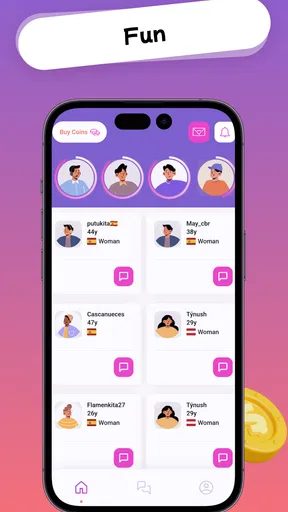
So, I decided to take the plunge and give InstaFeet a whirl. Downloading the app was a breeze, available on both Android and iOS, and I was up and running in no time. The interface is sleek and user-friendly, with a minimalist design that puts the focus right where it should be—on your feet!
Setting up your profile is straightforward. You can either create a new account or link it to your existing social media profiles. The app emphasizes privacy, which is a nice touch, allowing you to control who gets to see your content. Once you're in, the fun really begins.
Features galore
What sets InstaFeet apart is its range of features designed to help you showcase your feet in the best light possible. Whether you're a seasoned foot model or just someone who loves sharing their pedicure, there's something for everyone.
- Filters and editing tools: The app comes loaded with a variety of filters and editing tools. You can tweak brightness, contrast, and even add artistic touches to make your photos pop.
- Community engagement: One of the standout features is the community aspect. You can interact with fellow users, join themed challenges, and even collaborate on foot-centric projects.
- Monetization options: For those looking to turn their foot photography into a side hustle, InstaFeet offers monetization options. You can set subscription levels for exclusive content, much like a mini Patreon for feet lovers.
Navigating the app
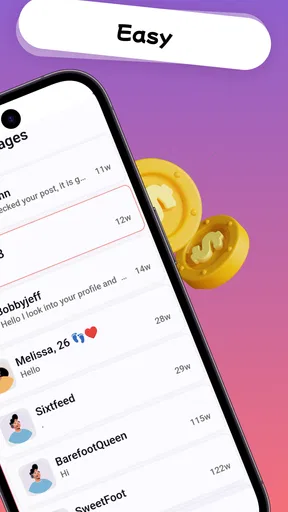
Navigation is a breeze, with intuitive tabs guiding you through your feed, notifications, and profile. The app's performance is smooth, with no noticeable lag or glitches, making the experience enjoyable and seamless. I particularly enjoyed the "Explore" tab, which curates content based on your interests, helping you discover new styles and trends.
For a first-time user, I’d treat browsing and posting as separate steps. A short look through the feed and Explore tab can help you decide what belongs in your own profile, while notifications are more useful once you’ve started interacting. If the stream begins to feel repetitive, changing what you browse or engage with is a more practical way to shape your experience than posting more simply to stay visible.
Building your brand
The app provides tools to help you build a personal brand around your foot content. From analytics that track your engagement to tips on improving your photography skills, InstaFeet is like a coach for foot enthusiasts. The "Footspiration" section offers tutorials and inspiration from top creators, which is a fantastic resource if you're looking to up your game.
I’d use those resources as prompts, not rules. When you find a framing idea you like, test it under the same lighting and background as one of your earlier pictures; that makes it easier to tell whether the change helped. Keeping a few original photos outside the app also gives you room to compare edits and avoid relying on a filter that looks appealing on one screen but changes the detail you wanted to show.
Community vibes
One of the things I love about InstaFeet is the sense of community. It's not just about uploading pics; it's about connecting with others who share your passion. The app fosters a positive environment where you can engage with others, participate in friendly competitions, and even collaborate on projects. I found myself spending more time interacting with the community than I anticipated!
That social side is a strength if you enjoy exchanging feedback, but it can also take more time than the photography itself. I’d set a personal limit for browsing and replies, especially if you’re opening the app for one specific task. When a conversation or collaboration feels uncomfortable, you don’t need to continue it to prove you’re a good community member. Keeping your participation on your own terms makes the creative part easier to enjoy.
Version, cost, and choosing what to do next
The current version is 1.0.10, and it requires Android 6.0 or later. I’d check that your device can run it before planning a photo session around the app. Since the download is free, trying the basic experience is a low-commitment way to see whether the focused community suits you; paid items are a separate decision, not a necessary first step.
If you’re wondering whether you need to buy anything to get started, my answer is no: first find out whether you like browsing, editing, and sharing in this setting. If you later consider a paid option, read the purchase details carefully and compare the cost with what you’ll actually use. The range of item prices is wide enough that treating every purchase as interchangeable would be a mistake. I’d also avoid spending in the hope that payment alone will bring attention or turn a hobby into income.
Another common point of uncertainty is whether this should replace your usual photo tools. I wouldn’t make that switch. A general editor may give you more flexible controls for broader photography, while a mainstream social network may offer a larger mix of interests. The advantage here is a tighter subject focus and the possibility of finding people who understand why a small detail in a foot photo matters. A sensible workflow is to take and keep your original image, make a careful edit, then share only the version you’re comfortable associating with your profile.
The verdict
So, is InstaFeet worth a download? If you're someone who loves taking creative photos, enjoys being part of a supportive community, or is even considering monetizing your foot photography, then absolutely! The app offers a unique blend of creativity and opportunity, making it a must-try for anyone interested in this niche. Plus, it's just plain fun!
Whether you're looking to become the next big thing in foot photography or simply want to share your love for fashionable feet, InstaFeet has something to offer. So go ahead, give it a try, and step into a community that's all about celebrating feet in the most creative and engaging ways possible.
My more measured recommendation is to start with a single, low-pressure visit rather than treating the app as a commitment. If you like the subject, enjoy the community interactions, and feel comfortable with the controls, it can become a pleasant place to share a niche interest. If what you really want is a private gallery, a broad beauty feed, or a full-featured photo studio, another kind of app will probably serve you better. The best first success here is simple: make one image you’re happy with, decide deliberately who should see it, and see whether the experience leaves you wanting to create another.
Privacy and Permissions
See what permissions an app requests and how it handles your data.
- Photos/Media/Files
- read the contents of your USB storage, modify or delete the contents of your USB storage
- Storage
- read the contents of your USB storage, modify or delete the contents of your USB storage
- Camera
- take pictures and videos
- Microphone
- record audio
- Other
- view network connections, full network access, run at startup, draw over other apps, control vibration, prevent device from sleeping, Google Play license check, read Google service configuration
Verdict
Strengths of InstaFeet
- User-friendly interface for easy navigation.
- High-quality image uploads.
- Secure payment options for transactions.
- Diverse community of creators and buyers.
- Regular updates with new features.
Limitations of InstaFeet
- Limited customization options for profiles.
- Requires subscription for full features.
- Occasional bugs in the messaging system.
- Some content may violate community guidelines.
- No offline mode available.
Similar Picks in This Category
View All
Beauty Makeup Editor & Camera
Photo & Video Editors - Instant Solution4.7

Perfect365: Face Makeup Editor
Perfect365, Inc.3.5

Mirror Plus - HD Mirror app
Digitalchemy, LLC4.8

Cute Lock Screen & Wallpapers
Prometheus Interactive LLC4.6

HD Camera for Android
One Music Player4.5

Phone Mirror app - True Mirror
Cards4.6
Frequently Asked Questions
What is InstaFeet and how does it work?
InstaFeet is a subscription-based app where users can buy and sell photos of feet. It allows content creators to upload their foot photos and set a price for subscribers who wish to view and purchase them. The platform provides a secure environment for transactions and content sharing, ensuring privacy and anonymity for all users.
Is InstaFeet safe to use for both buyers and sellers?
Yes, InstaFeet takes several measures to ensure the safety and privacy of its users. The app uses secure payment gateways and encryption to protect user data and transactions. Additionally, it has strict community guidelines and reporting mechanisms in place to prevent any form of harassment or inappropriate behavior on the platform.
How can I start selling photos on InstaFeet?
To start selling on InstaFeet, you need to create an account and verify your identity. Once your account is set up, you can upload high-quality foot photos and set subscription rates for users who wish to access your content. Ensure that your profile is appealing and adheres to the platform’s guidelines to attract potential subscribers.
Are there any fees involved with using InstaFeet?
InstaFeet charges a commission on sales made through the platform. This fee helps maintain the app and provide users with a secure and user-friendly experience. Specific rates may vary, so it’s advisable to review the terms and conditions or contact support for detailed information about the fee structure before proceeding.
Can I cancel my subscription on InstaFeet at any time?
Yes, users can cancel their subscription at any time through the app's settings. Once canceled, you will not be charged for the next billing cycle, but you will continue to have access to the subscribed content until the end of the current subscription period. For any issues, customer support is available to assist with the cancellation process.
